

What is the Channel Portal?
For each channel on your PANDA network, you can choose what viewers will see when they first navigate to your channel.
In the default view, the channel’s current default video will open immediately when your viewer goes to your channel.
In contrast, when you enable the Channel Portal, your viewer will see a portal page with all the broadcasts on your channel, organized by broadcast category. (Uncategorized broadcasts will appear under the Other Videos section.)
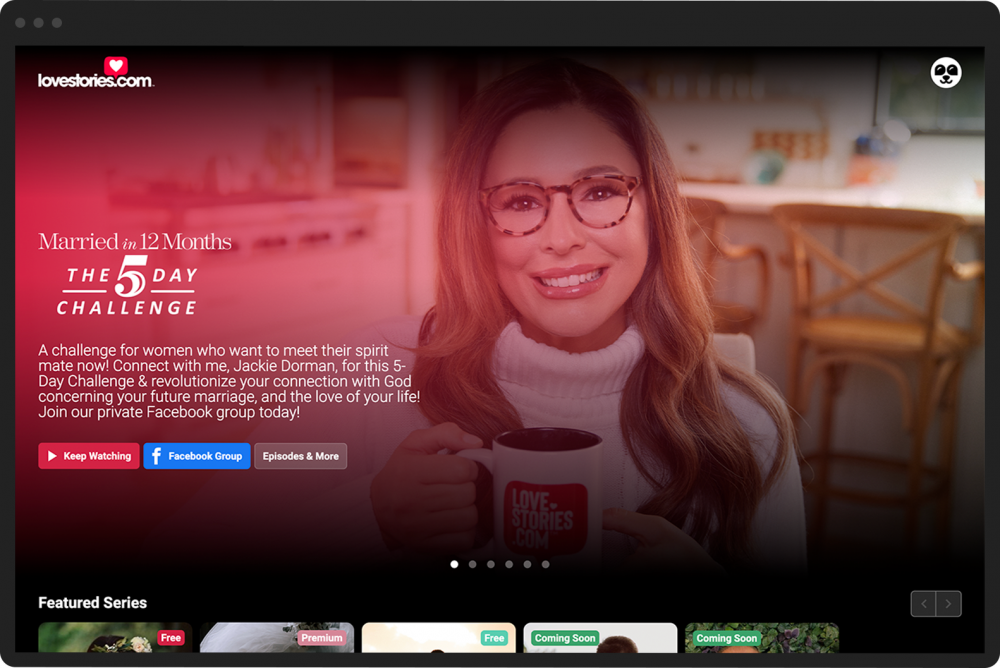
To enable the Channel Portal:
- 1
From your Channel Dashboard, click Settings from the bottom of the far-left menu.
- 2
Click the General Settings tab.
- 3
In the Channel Portal Page section, check the Display Channel Portal box.
- 4
Click the green Save button to the right of the Channel Portal Page heading.

You can then edit the look and layout of your Channel Portal using the Portal Editor.