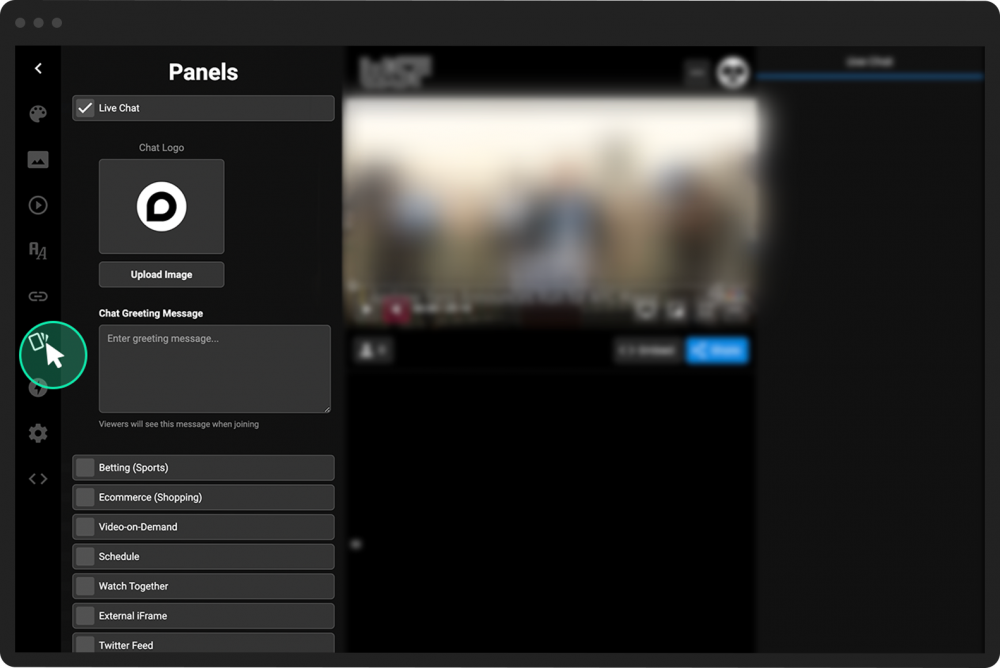
Choose engagement panels for a specific channel
PANDA offers several types of interactive engagement panels to display beside your broadcasts. In addition to setting default engagement panels for your entire PANDA network, you can customize the panels that will appear for a specific channel.
To choose engagement panels for a specific channel:
- 1
From your Channel Dashboard, click Channel Editor from the far-left menu.
- 2
Click Default Channel Styles from the far-left menu.
- 3
From the far-left menu, choose the panels icon.
- 4
Check the boxes for any panel that you wish to add. Uncheck the boxes for any panels you wish to remove.
- 5
When you check a box, some customization options will appear, depending on which panel you selected.
- 6
Click the green Save Settings button in the top-right corner of your screen.