

Create a live stream with RTMP
The Real-Time Messaging Protocol (RTMP) is a common protocol for streaming live video over the internet. If you will be broadcasting video via OBS or other live streaming apps or platforms, follow the instructions below.
Note: You can also schedule a live stream in advance or enable on-demand RTMP broadcasts that create automatically.
To create a new RTMP broadcast:
- 1
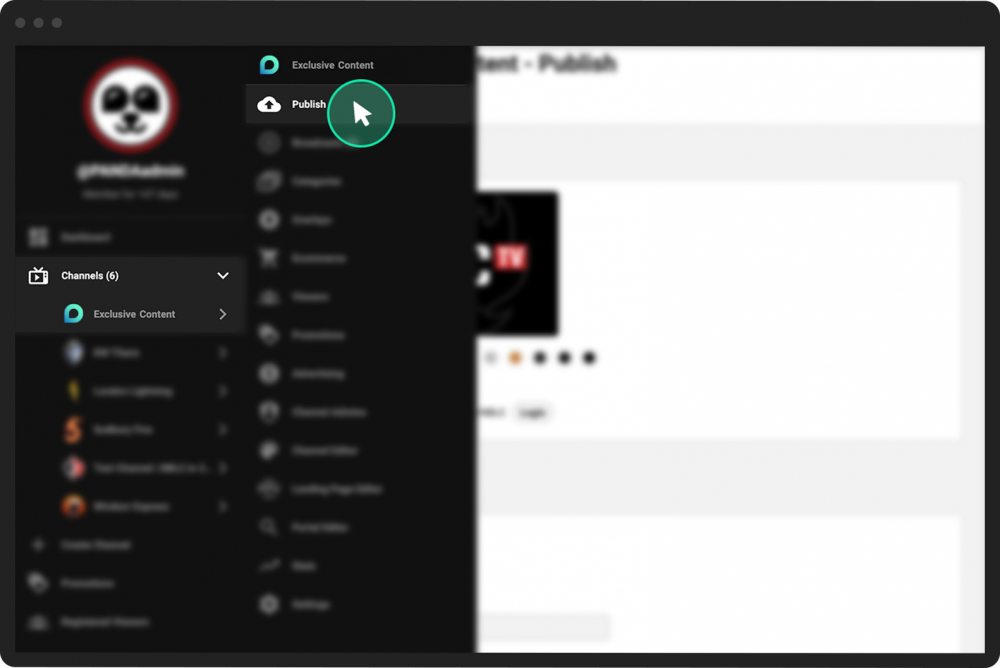
In the PANDA dashboard, click Channels on the far-left menu.
- 2
From the dropdown menu, click the name of the channel where you want to publish your livestream.
- 3
Click Publish from the far-left menu, or click the New Broadcast button near the top of your screen.
- 4
Under the Create tab, populate the fields under the Publish Now heading, including:
Broadcast Title
Broadcast Description (optional)
Broadcast Category (optional)
- 5
Click the camera icon to upload a broadcast thumbnail image.
Note: The recommended resolution for broadcast thumbnail images is 1280x720 or 1920x1080.
- 6
Click the RTMP button.
- 7
Click the Create Broadcast button.


Now that you’ve created your broadcast, your broadcast’s Control Room will appear. From here, you can view and adjust your RTMP broadcast settings and edit your broadcast.