Link a Shopify store to a channel
If you have a Shopify store, you can link it to your channel to allow your viewers to buy merchandise during a broadcast.
To link your Shopify store to your channel:
- 1
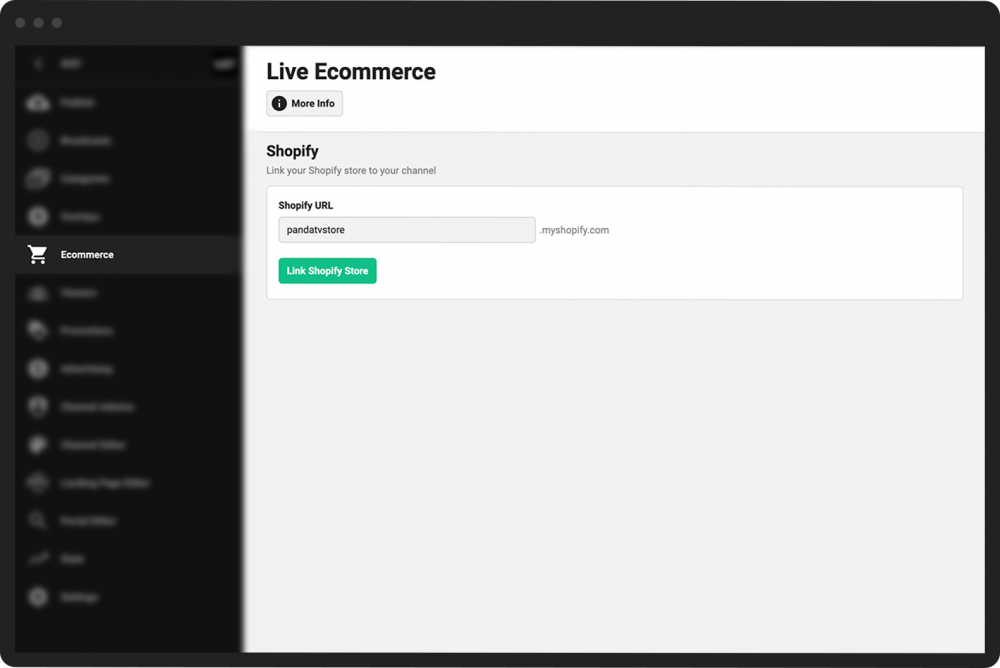
From your Channel Dashboard, click Ecommerce from the far-left menu.
- 2
In the Shopify URL box, enter the first part of the URL for your Shopify store. (For example, if your full Shopify URL is pandatest.myshopify.com, enter “pandatest” in the box.)
- 3
Click the green Link Shopify Store button.
- 4
Login to your Shopify account.
- 5
In Shopify, click the purple Connect button next to the name of your store.