Set up or turn off automatic live streaming
PANDA allows you to create automatic live streams that instantly play on your PANDA channel when the broadcast begins. This feature can be turned on or off for your RTMP broadcasts.
Note: Uploaded videos using the Simulate Live feature will automatically stream as soon as they are uploaded or as soon as their scheduled time begins.
To enable or disable automatic live streaming for a new RTMP broadcast:
- 1
Create your new RTMP broadcast or Schedule an RTMP broadcast.
- 2
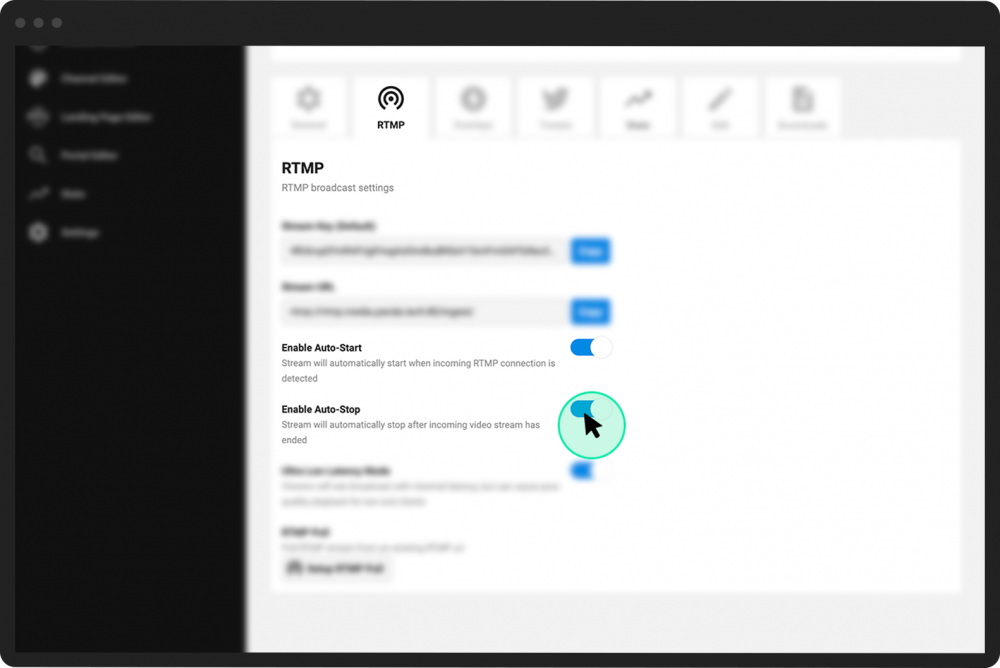
From your Control Room, scroll down and select the RTMP Settings tab.
- 3
Use the buttons to toggle automatic live streaming as desired.
Note: Automatic live streaming is enabled by default for new RTMP broadcasts or disabled by default for scheduled broadcasts.
Enable Auto-Start.
When this button is ON, the moment that you start your broadcast from your streaming platform (e.g., OBS, StreamYard etc.), your stream will begin playing on your PANDA channel.
If you toggle this button OFF, then your stream will not begin playing on your PANDA channel until you (1) begin your broadcast from your streaming platform and (2) click the Start Now button from your Control Room.
Enable Auto-Stop.
When this button is ON, your PANDA channel broadcast will stop the moment that you end your broadcast from your streaming platform.
If you toggle this button OFF, then your PANDA channel will not stop live-streaming until you click the Stop button from your Control Room.