Feature a broadcast on your channel
You can feature a specific broadcast to always be the first video that appears when someone visits your channel.
Note: This feature only applies if you do not have a Channel Portal enabled.
To feature a broadcast:
- 1
In your Channel Dashboard, click Settings from the bottom of the far-left menu.
- 2
Click the General Settings tab.
- 3
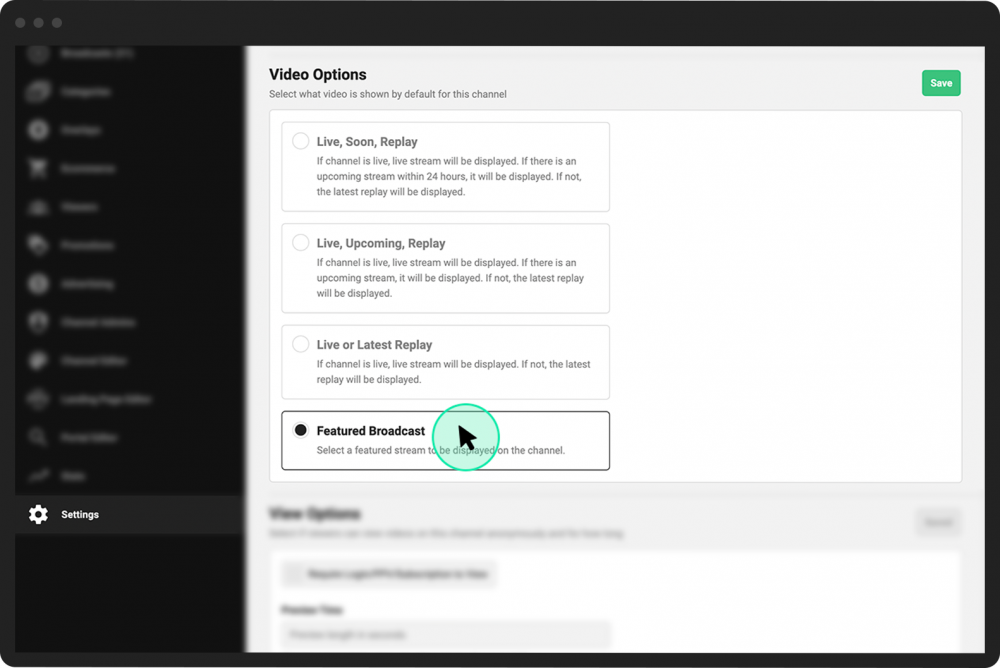
Scroll down to the Video Options section.
- 4
Click the Featured Broadcast option.
- 5
Click the green Save button to the right of the Video Options heading.
- 6
While still in your Channel Dashboard, click Broadcasts from the far-left menu.
- 7
Locate the broadcast you want to feature and click Control Room directly under it.
- 8
Under the General tab, click the Feature Broadcast button.