Add a sponsor to an engagement panel
You can add a sponsor to the banner at the top of each active engagement panel on a broadcast. Sponsors for each active panel must be set up individually – which lets you have multiple sponsors, if desired.
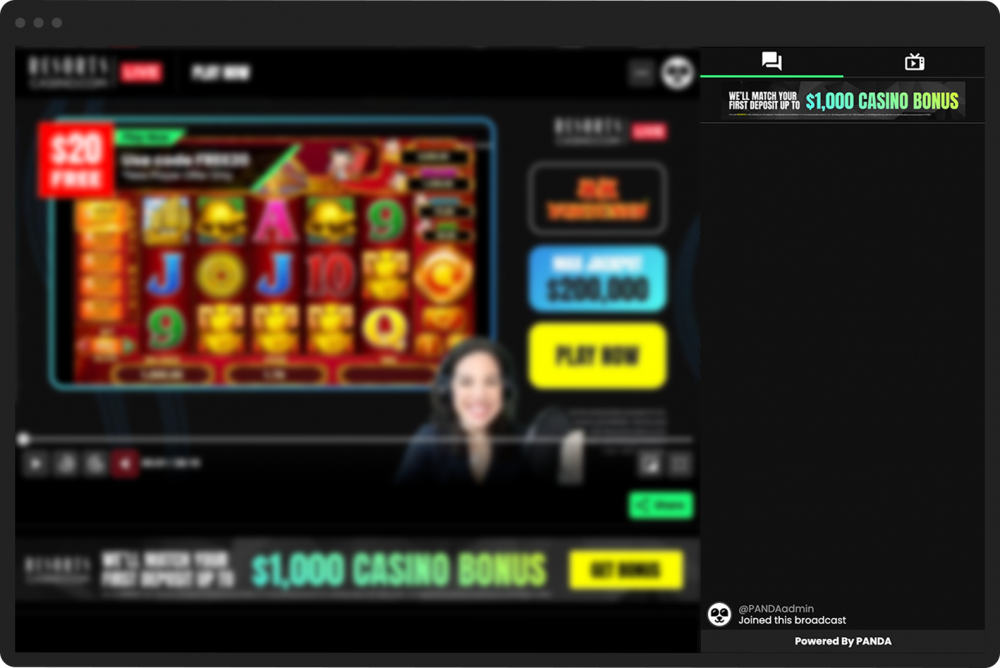
To add a panel sponsor:
- 1
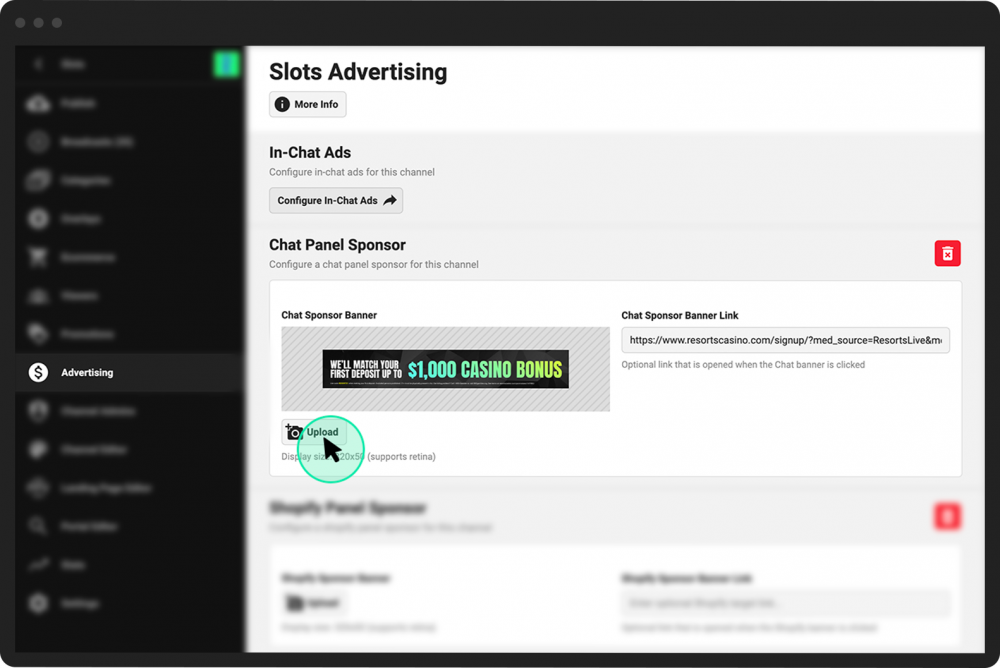
From the Channel Dashboard, click Advertising from the far-left menu.
- 2
Within the Advertising screen, locate the panel for which you want to add a sponsor. You can choose one or more of the following:
Chat Panel Sponsor
Shopify Panel Sponsor
Scheduled Panel Sponsor (for upcoming scheduled broadcasts)
Replay/VOD Panel Sponsor (for already aired or VOD broadcasts)
Twitter Panel Sponsor
- 3
Under the desired panel heading, click Upload to add a banner image for the sponsor. (It will appear in the Sponsor Banner field.)
- 4
In the Sponsor Banner Link field, add a URL for a link that will open when a viewer clicks on the sponsor’s banner ad, if desired.
- 5
Click the Save & Update at the bottom of the page.