Create an advertising panel
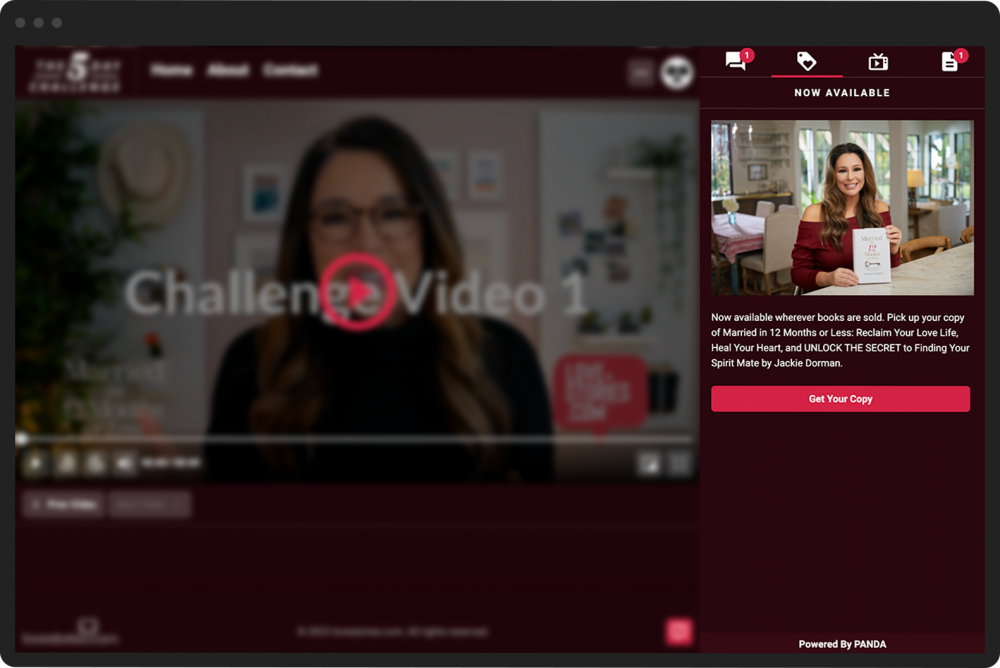
You can add an advertising panel as one of your broadcast's active engagement panels. It allows you to create a more dynamic ad with different formatting than the banner used for panel sponsors.
To add an advertising panel:
- 1
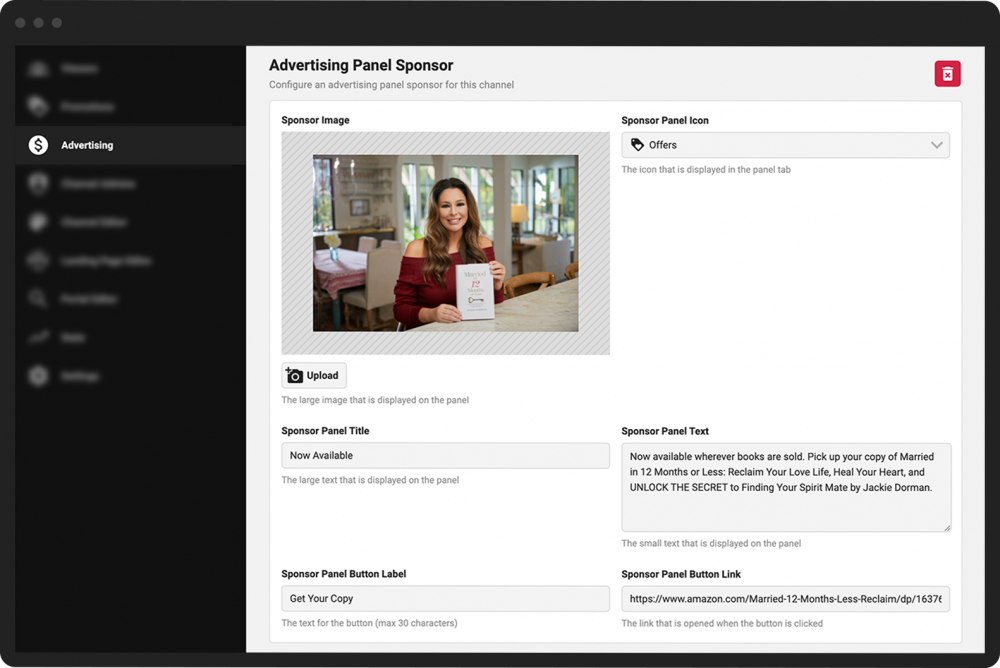
From the Channel Dashboard, click Advertising in the far-left menu.
- 2
Scroll down to the Advertising Panel Sponsor section on the Advertising screen.
- 3
Click Upload to add an image for the sponsored ad. (It will appear in the Sponsor Image field.)
- 4
Choose a Sponsor Panel Icon from the pulldown menu. This will be the tabbed image shown to viewers in the panel interface during the broadcast.
- 5
Add a title for the ad in the Sponsor Panel Title field.
- 6
Add the text that will appear below the ad image in the Sponsor Panel Text field.
- 7
Add text in the Sponsor Panel Button Label field for the Call-to-Action button for this ad (e.g., "Buy Now").
- 8
Add the sponsor link in the Sponsor Panel Button Link field.
- 9
Click the green Save & Update at the bottom of the page.