

Gift a lifetime subscription to your network or a channel
PANDA allows you to invite a user and automatically grant them a free lifetime subscription to either your entire network or a specific channel.
- 1
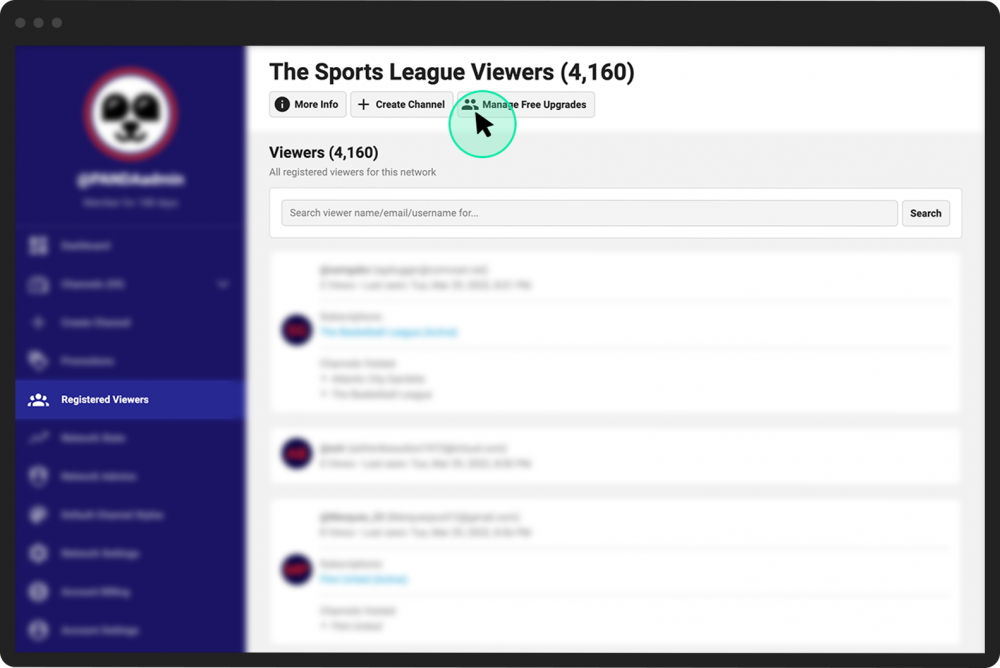
Login to your PANDA dashboard and click Registered Viewers from the far-left menu.
- 2
Click the Manage Free Upgrades button at the top of the screen.
- 3
Enter an email address in the textbox. To send free subscriptions to multiple viewers, you can enter multiple email addresses in the box (one email address per line).
- 4
Click the green Save button.

Your invited viewers will receive an email allowing them to register for your network and receive a free lifetime account.
- 1
From your Channel Dashboard, click Viewers from the far-left menu.
- 2
At the top of the screen, click:
The Free Upgrades button to give subscriptions to multiple new or existing users (see below).
The Add Viewer button to upgrade an existing user (someone who already has an account) to a free subscription.
- 3
Enter an email address in the textbox (or multiple email addresses, if on the Free Upgrades screen).
- 4
Click the green Save button.

Your invited viewers will receive an email allowing them to upgrade their account and/or register for your network and receive a free lifetime subscription to that specific channel.