

Highlight a bet
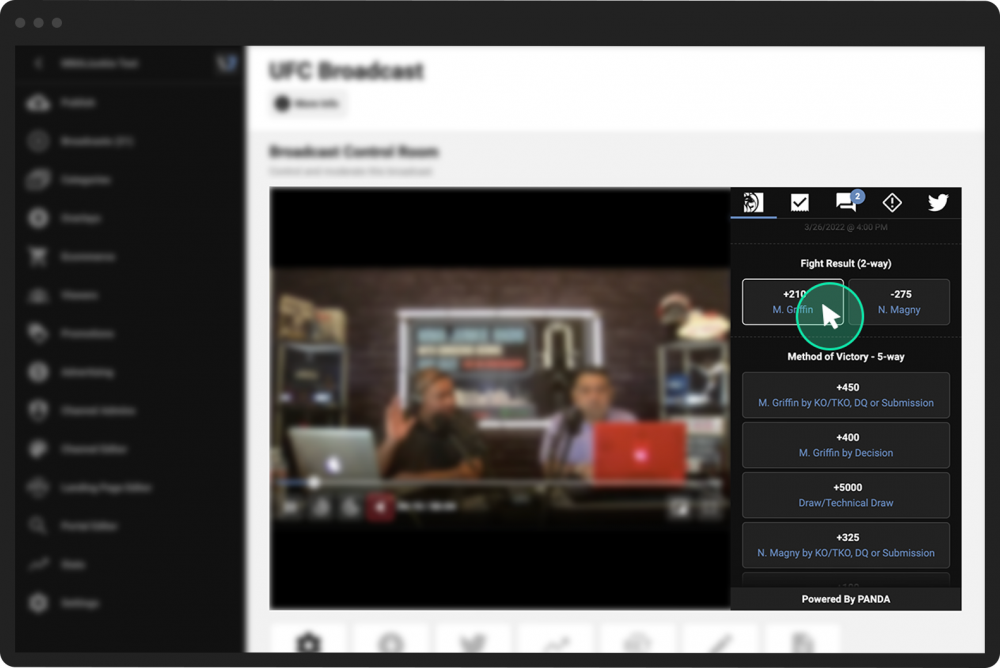
While live streaming, broadcasters have the ability to highlight a bet from the Betting Panel.
Highlighting a bet is a way to let the viewers know that the broadcaster thinks this is a great bet to make.
To highlight a bet:
- 1
Enter the Control Room for your live stream.
- 2
In the video preview screen, open the Betting Panel.
- 3
Click the bet you wish to highlight.
- 4
In the pop-up confirmation window, click Highlight Bet.
Highlighted bets are displayed throughout the broadcast in two or three locations:
At the top of the Betting Panel
Beneath the broadcast
In the Highlighted Bets Panel (if enabled when setting up the Betting Panel)