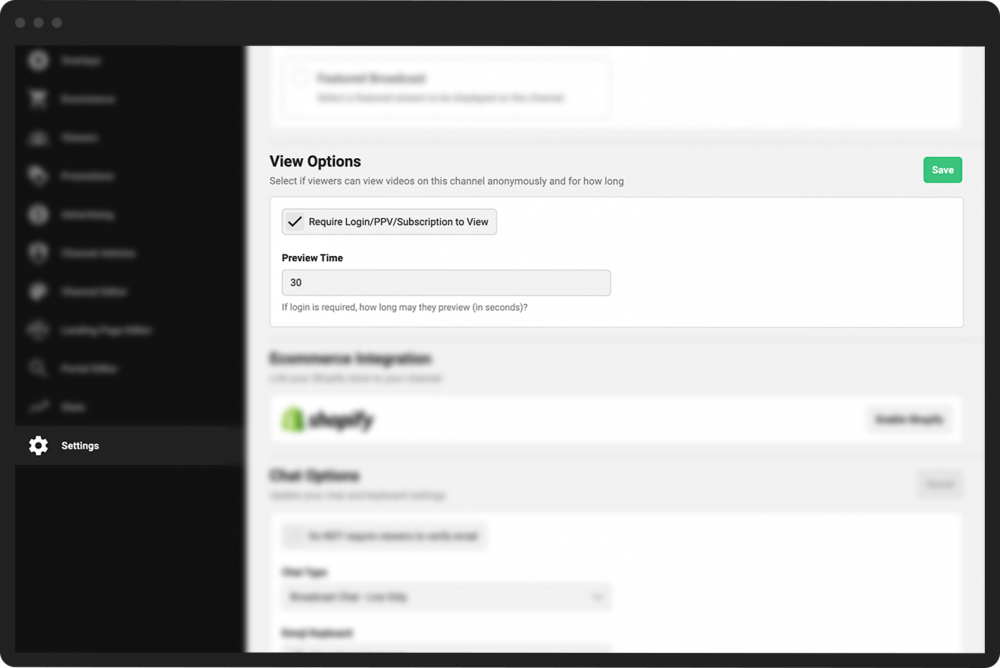
Change the view options for subscription videos
If you want to restrict your broadcasts from being viewed by people who have not subscribed, paid for access, or registered for your channel, you have a few options.
- 1
In the Channel Dashboard click Settings at the bottom of the far-left menu.
- 2
Click General Settings to open further menu options.
- 3
Scroll down to the View Options section. In the View Options section, you can perform two tasks:
Check the Require Login/PPV/Subscription to View box to block anonymous/unregistered users from viewing your content.
If you restrict broadcast viewership, entering a number in the Preview Time field will indicate the number of seconds unregistered users may view a video on your channel before being prompted for a login.
- 4
Click the green Save button to the right of the View Options heading.